Find what live cloud is hiding.
ops0 scans AWS, GCP, Azure, and Oracle Cloud read-only for exposure, drift, unmanaged resources, and cost risk, before they become incident work. Then it turns the resources you pick into reviewed IaC.
ops0 brings your clouds, runtime, infrastructure code, and workflows into one operating context. Multi-cloud discovery scans live cloud read-only to find exposure, drift, unmanaged resources, and cost risk before they become incidents.
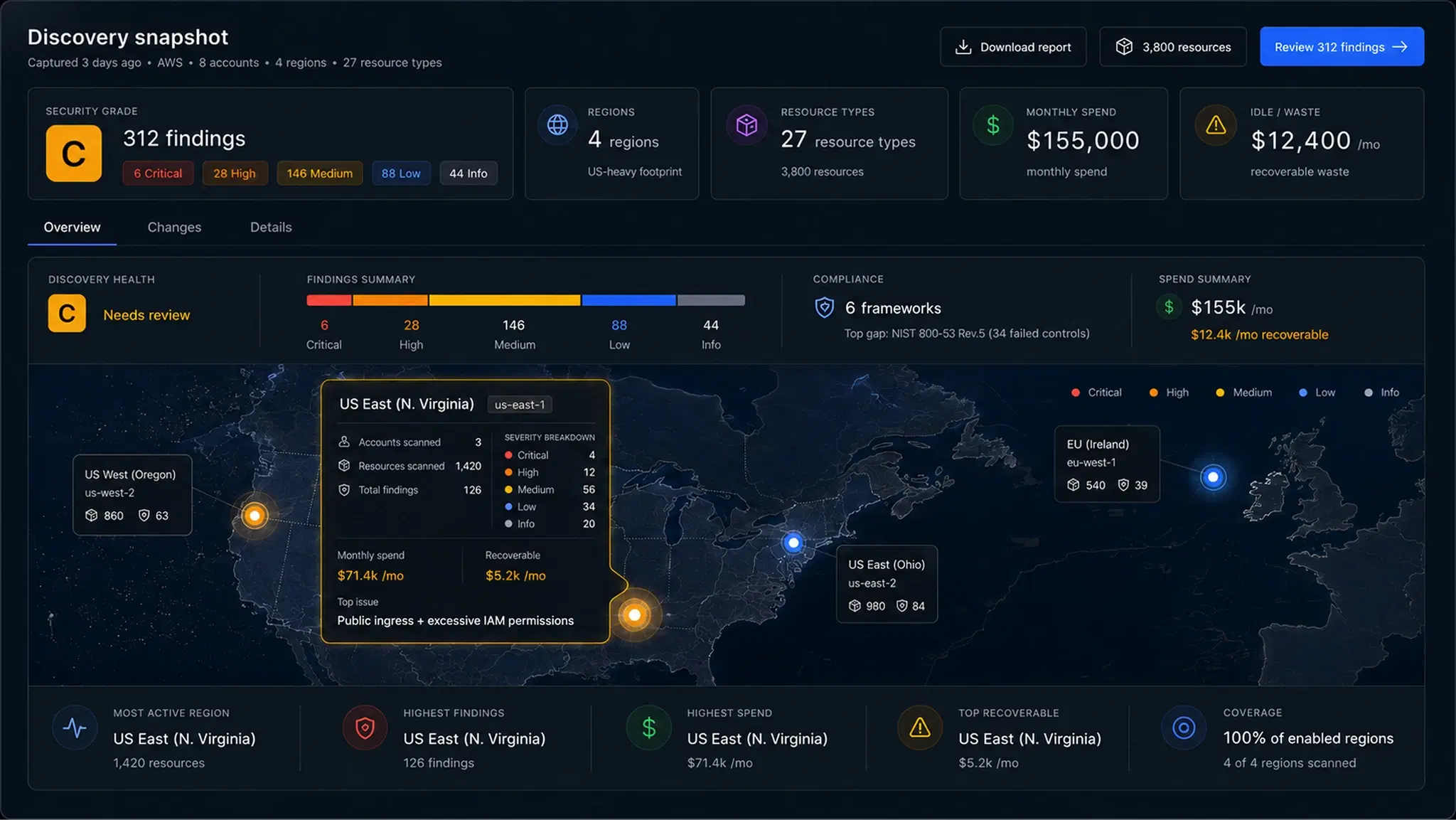
Your console shows one account at a time. Discovery shows everything running, at once.
Connect read-only.
Four accounts across AWS, GCP, and Azure, with least-privilege, read-only access. Nothing in your cloud changes.
Everything a finding needs to be fixed.
See what is actually running.
Discovery that stays current.
Least-privilege credentials. Nothing in your cloud changes.
One grade per account, from what three engines confirmed together.
In practice
Start cloud discovery with one read-only account.
Use a small, known environment for the first scan. Check what the connection can see, reconcile the inventory with your cloud console, and decide which unmanaged resources should move under IaC.
Connect one account
Choose the AWS account, GCP project, Azure subscription, or OCI scope you want to inspect. Use the read-only connection path and have the account owner review the requested access.
Check permissions and regions
Confirm that access covers the services and regions you expect to scan. Record permission failures or excluded scopes so a missing resource is not mistaken for an empty environment.
Run discovery and compare inventory
Review resource identifiers, account or project, region, and resource type. Compare a few known resources with the provider console before expanding the scan.
Review owners, findings, and dependencies
Check unmanaged resources, missing owner tags, exposure, and dependency context. Verify a relationship against configuration or provider evidence before using it to scope a change.
Plan IaC adoption
Select a bounded resource group, review the generated code, and check existing state ownership and import identifiers. Review the plan with the owning team. Generating HCL, importing state, and applying a change are separate decisions.
Inventory completeness depends on the connected scope, permissions, regions, and supported resource types. Reconcile gaps before drawing conclusions from a scan.
Common questions
See your whole cloud.
Before the next change.
Connect one account read-only. ops0 maps what is running, what changed, and what depends on what, and Kiwi answers questions about it in plain language.